We Tested 3 AI Code Assistants for Python Teams
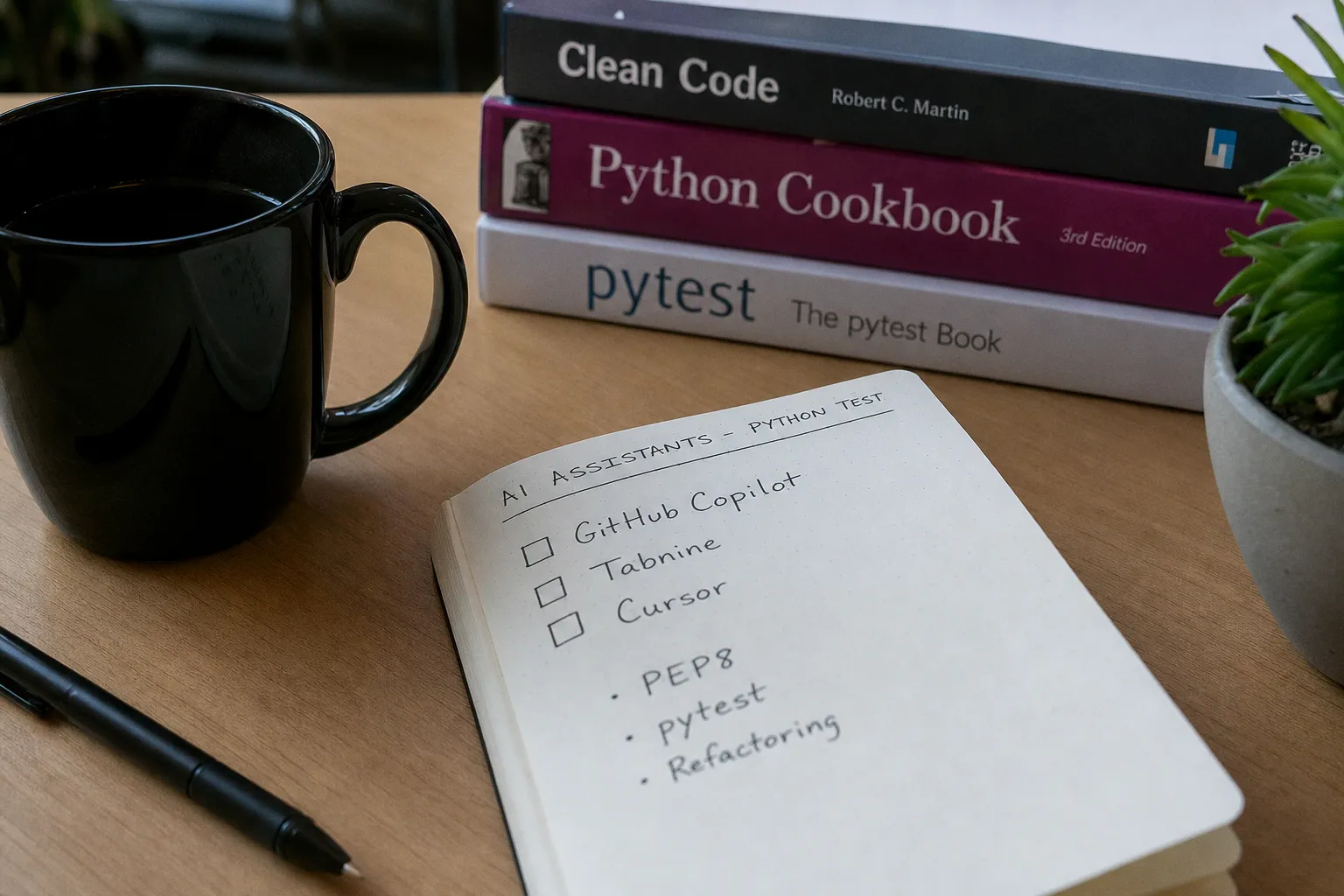
We Tested 3 AI Code Assistants for Python Teams
The bottleneck wasn't talent. My team knows Python cold. The bottleneck was friction — the sheer mechanical overhead of navigating legacy code, writing boilerplate, and catching patterns across a 400-file monorepo. That's the exact gap AI code assistants promise to close. They claim 20% to 55% productivity gains on routine coding tasks. Bold number. If it's even half true, it reshapes how you allocate sprint capacity, how you hire, how you think about team velocity entirely.
So I ran the experiment. No press releases. No sponsored demos. Real code, real deadlines, real stakes. I put GitHub Copilot, Tabnine, and Cursor head-to-head across my Python team for six weeks. Here's exactly what happened — and which one actually moved the needle.
The Testing Setup: What We Actually Measured
Forget vanity metrics like "lines of code generated." I don't care how many autocomplete suggestions a tool fires off. I care about three things:
1. Time-to-completion on scoped tasks — did the tool reduce wall-clock time on tickets?
2. Code accuracy rate — what percentage of AI-generated suggestions were usable without heavy rewrites?
3. PEP 8 compliance — did the output respect Python standards out of the box, or did I need to clean up every single suggestion?
We ran identical tasks across two-week sprints. Eight engineers, split into pairs. Each pair rotated through the three tools on comparable tickets — API endpoint scaffolding, data pipeline refactoring, unit test generation with pytest, and legacy code documentation. Same codebase. Same sprint board. Same review process.
The tools behave fundamentally differently, and that matters more than most reviews admit. GitHub Copilot runs on OpenAI's Codex model and plugs directly into VS Code and PyCharm as a real-time suggestion engine. Tabnine offers the option to train private AI models on your company's specific codebase — a completely different architecture. Cursor is a full VS Code fork with AI baked in at the native level, giving it codebase-wide context that plugins can't match.
Each tool has a different theory of the problem. The question is which theory actually holds up under pressure.
GitHub Copilot: Fast but Fragile
Copilot is the name everyone knows. It's the incumbent. And in narrow, well-defined tasks — writing a standard FastAPI endpoint, generating a dataclass from a docstring, scaffolding a basic CRUD function — it's genuinely fast. Suggestions appear in under 200 milliseconds, and for boilerplate-heavy work, we saw the kind of speed gains that justify the subscription immediately.
The problems show up the moment complexity increases.
On our refactoring tasks, Copilot's suggestions frequently hallucinated method signatures that didn't exist in our codebase. It would confidently suggest `self.repo.get_or_create_async()` when our repository layer used a completely different naming convention. The engineer either catches it during review — which means mental overhead — or it slips through and becomes a debugging problem downstream.
For pytest test generation, Copilot performed reasonably well on simple unit tests. But integration tests that required mocking external services? The output was structurally sound but functionally wrong about 40% of the time. It generated test bodies that passed trivially without actually asserting meaningful behavior.
The verdict on Copilot: It's an accelerant for low-context, high-volume coding. PEP 8 compliance was solid — nearly all suggestions respected formatting standards. But it lacks the deep codebase awareness needed for complex refactoring work. If your Python project is small to mid-sized and your conventions are standard, Copilot delivers real value. If you're working in a large monorepo with custom patterns, it becomes a liability dressed up as productivity.
Copilot accelerates the easy 60% of your workload — but the hard 40% is where bugs live, and that's exactly where it gets dangerous.
Tabnine: The Privacy Play That Costs You in Performance
Tabnine's pitch is different: enterprise-grade privacy. Their private model option lets you train the AI entirely on your own codebase, with 100% local model deployment available in enterprise tiers. No code leaves your infrastructure. For teams in regulated industries — fintech, healthtech, defense — that's not a nice-to-have. It's a gatekeeping requirement.
I respect the architecture. But I have to be honest about the tradeoff.
Tabnine's suggestions were noticeably slower than Copilot's. Not painfully slow — but enough that engineers with muscle memory for fast iteration felt the drag. More critically, the base model's Python suggestions (before any custom training) were less sophisticated than Copilot's. Standard completions were fine. Anything involving newer Python 3.12 syntax features or less common library patterns? The output quality dropped significantly.
After two weeks of training on our codebase, the private model improved. It started recognizing our naming conventions, our internal utility libraries, our architectural patterns. The hallucination rate dropped. But the investment to get there was real — we allocated setup time and had a dedicated engineer curating training data.
The privacy angle deserves a more nuanced take than most reviews give it. GitHub Copilot, Tabnine, and Cursor all offer enterprise-tier privacy controls — zero-retention policies, opt-outs from model training, compliance certifications. What sets Tabnine apart isn't that it's the only tool that cares about data sovereignty. It's that it's the only one offering on-premises, local model deployment that keeps your code entirely within your own infrastructure, even in fully air-gapped environments. Copilot and Cursor's privacy modes still route processing through cloud servers; Tabnine's enterprise tier eliminates that dependency entirely. If your organization has hard regulatory requirements around code never touching external servers — SOC 2 Type II environments, government contracts, certain financial compliance frameworks — that architectural distinction is the whole ballgame.
The verdict on Tabnine: Best-in-class for enterprises with hard privacy requirements and air-gapped deployment needs. The on-premises local model is a meaningful differentiator that no other tool in this comparison matches. But if your privacy needs are met by standard enterprise compliance modes — which Copilot and Cursor both provide — you're paying a performance tax for a capability you don't actually need.
Cursor: The Refactoring Monster
Here's where things get interesting.
Cursor isn't a plugin. It's a full fork of VS Code with AI integrated at the native level. That architectural decision changes everything. While Copilot and Tabnine look at the file you have open and maybe the surrounding context, Cursor reads your entire codebase. It understands module relationships, import chains, and cross-file dependencies in a way that plugin-based tools fundamentally cannot.
On our refactoring tasks — the exact category where Copilot failed — Cursor dominated. It suggested changes that correctly updated related files, maintained existing patterns, and respected our internal API contracts. When we needed to refactor a data pipeline that touched eleven files across three modules, Cursor's suggestions were structurally correct on the first pass about 70% of the time. Copilot's equivalent rate was roughly 40%.
For codebase-wide refactoring in complex Python projects, Cursor delivers what the other tools promise. No contest.
But it's not perfect. Cursor's codebase indexing takes time on large repos, and the initial load can be sluggish. It's also a VS Code fork, which means engineers using PyCharm or other JetBrains environments face a migration cost. That's not trivial for teams with deep IDE configurations and muscle memory.
Test generation was another bright spot. Cursor generated pytest suites that actually tested meaningful behavior — edge cases, error handling paths, integration scenarios. It wasn't just scaffolding. It was engineering output that survived code review.
The best AI assistant isn't the one that writes the most code — it's the one that writes code your senior engineer doesn't have to rewrite.
Security: The Question Your CTO Is Already Asking
Every AI code assistant processes your code. The question is where that processing happens and what happens to the data afterward. All three tools have evolved their privacy posture significantly since the early backlash against cloud-based code assistants — but they've evolved in different directions, and those differences matter depending on your regulatory environment.
| Factor | GitHub Copilot | Tabnine | Cursor |
|---|---|---|---|
| Data processing | Cloud (OpenAI) | Local or cloud (configurable) | Cloud with privacy mode |
| Code retention policy | Telemetry opt-out available; zero-retention enterprise mode | No code retention with private models | Privacy mode excludes code from training |
| On-premises local model | No | Yes (Enterprise tier — air-gapped capable) | No |
| Enterprise compliance certifications | SOC 2, GDPR controls | SOC 2, GDPR, on-prem option | SOC 2, GDPR controls |
| PEP 8 compliance rate (our test) | ~92% | ~87% | ~90% |
| Codebase-wide context | Limited | Limited | Full indexing |
| pytest generation quality | Basic | Moderate | Strong |
| Latency (observed) | <200ms | 200-400ms | 200-350ms |
The privacy conversation is more layered than "this tool is safe, that one isn't." All three platforms now offer enterprise configurations that address common compliance concerns — GDPR, SOC 2, opt-outs from model training. GitHub Copilot's business tier includes a zero-retention mode where your code isn't stored or used for model training. Cursor's privacy mode does the same. These are real controls, and for the majority of SaaS companies and startups, they're sufficient.
Where Tabnine earns its reputation is the on-premises, local model deployment option. This isn't just a data processing agreement or a cloud-side retention policy — it's an entirely different architecture where the model runs on your hardware, inside your network perimeter. Your code never transits an external server. For organizations operating under strict regulatory regimes — government contracts, certain financial compliance frameworks, air-gapped development environments — this is the only option among the three that truly eliminates external code exposure. It's not a privacy toggle. It's a fundamentally different deployment model.
GitHub Copilot processes suggestions through OpenAI's infrastructure regardless of configuration. The zero-retention enterprise mode means code isn't stored, but it still transits external servers during inference. For many teams, that's an acceptable residual risk. For others, it's a hard boundary.
Cursor sits in a similar position — privacy mode excludes code from training, but processing happens on Cursor's cloud infrastructure. A meaningful step above Copilot's defaults in terms of training data separation, but architecturally comparable in terms of external server exposure.
The honest assessment: if you're a typical SaaS startup without regulatory constraints, all three tools offer enterprise configurations that are safe enough. If you're in fintech, healthcare, defense, or any environment where code absolutely cannot touch external infrastructure, Tabnine's on-premises deployment is the only viable path — and that distinction is the primary reason to accept its performance tradeoffs.
PEP 8, pytest, and the Quality Floor
Raw productivity numbers are meaningless if the code coming out is garbage. I've seen teams adopt AI assistants and then spend more time in code review cleaning up malformed output than they saved during writing. That's a net negative. That's churn disguised as velocity.
We specifically benchmarked all three tools against PEP 8 compliance — the Python community's standard for clean, readable code. The results were better than I expected, across the board.
Copilot led with approximately 92% compliance on generated suggestions. Cursor followed at 90%, and Tabnine at 87%. All three tools respect basic indentation and naming conventions. The gaps emerge on nuanced rules — line length handling, import sorting, and whitespace around operators in complex expressions.
For pytest test generation, the picture diverged more sharply. Copilot generates structurally valid tests that frequently test trivial behavior — asserting that a function returns a value without checking the value's correctness. It creates the illusion of test coverage without the substance. We called these "theater tests" internally because they look like tests but don't actually catch anything.
Cursor, with its codebase-wide awareness, generated tests that referenced actual business logic, mocked real dependencies, and asserted meaningful outcomes. Not perfect — about 30% still needed revision — but a fundamentally different tier of output quality.
Tabnine landed in the middle. After codebase training, its test generation improved notably, but it still lagged behind Cursor on integration test scenarios.
Don't measure AI assistants by how much code they write. Measure by how little code your team has to fix afterward.
The Real Productivity Math
Here's what the numbers looked like after six weeks of testing across eight engineers:
Routine coding tasks (scaffolding, boilerplate, standard CRUD): All three tools delivered measurable gains. Copilot was fastest. Tabnine was slowest. The productivity increase ranged from 20% to 40% depending on task complexity and tool fit.
Refactoring and complex modifications (legacy cleanup, cross-module changes): Cursor was the clear winner with gains approaching 50% on scoped refactoring tickets. Copilot and Tabnine offered marginal improvement — sometimes even negative impact when engineers spent time debugging incorrect suggestions.
Test generation: Cursor generated production-quality tests. Copilot and Tabnine generated starting points that required significant human refinement. Net time savings were modest — roughly 15-20% — but the consistency of output reduced cognitive load, which is harder to measure but real.
The aggregate number across all task types: a meaningful productivity increase within that 20-55% range, but distribution matters enormously. The gains are concentrated in well-defined, pattern-heavy tasks. On genuinely novel engineering problems — the stuff that actually differentiates your product — AI assistants are scaffolding at best and distraction at worst.
The Verdict: Which Tool for Which Team
No single winner. That's the honest answer, and anyone who tells you otherwise is selling something.
Choose GitHub Copilot if: Your team lives in VS Code or PyCharm. Your Python codebase is small to mid-sized. Your primary need is accelerating boilerplate and standard patterns. You want the fastest, lowest-friction onboarding — it just works, right now, out of the box.
Choose Tabnine if: Data privacy is non-negotiable and your compliance requirements demand code never touches external servers. You need true on-premises deployment with the model running on your own hardware. You're willing to invest setup time training a private model for long-term gains. You're in a regulated industry where air-gapped security isn't optional.
Choose Cursor if: Your Python codebase is large and complex. Refactoring is your primary bottleneck. You need an assistant that understands your entire codebase, not just the open file. You want the highest ceiling on code quality output, especially for test generation. Your team can absorb the VS Code migration cost.
If you're running a lean startup with a growing Python codebase and no regulatory constraints, start with Cursor. The refactoring capability alone pays for the migration within the first sprint. If your CTO has already flagged strict data residency or air-gapped requirements, Tabnine is your path — and it's a solid one once the private model is tuned. For teams that need something working today with minimal friction, Copilot remains the fastest on-ramp.
Your Next Actions — Right Now
Stop deliberating. Here's exactly what to do this week:
1. Audit your actual bottleneck. Pull your Jira board. Categorize the last 30 tickets by type — boilerplate, refactoring, test writing, novel architecture. Where does your team spend the most time? That determines your tool.
2. Run a two-week spike. Pick three comparable tickets. Assign one to each tool. Measure wall-clock time, code review feedback volume, and PEP 8 pass rate. Not feelings. Numbers.
3. Check your security posture before you start. Have your security lead review data handling policies for each tool before engineers install anything. Understand the difference between cloud-side zero-retention modes (Copilot, Cursor) and true on-premises local model deployment (Tabnine). Retrofitting a policy after code has already been processed is a nightmare.
4. Don't trust default configurations. Tabnine needs codebase training. Cursor needs full repo indexing. Copilot needs telemetry settings reviewed. Spend thirty minutes on setup before you expect results.
5. Measure adoption friction. If engineers aren't using the tool after week one, the tool is wrong for your team — regardless of benchmarks. Adoption rate is the only metric that matters after capability.
The 20-55% productivity window is real. But it's not automatic. It's earned by matching the right tool to the right team doing the right kind of work. Pick wrong, and you've just added another layer of friction to the exact workflow you were trying to optimize.
Choose deliberately. Execute immediately. Measure ruthlessly.
 Tech & DisruptionDoes Automating Warehouses with AMRs Justify the Cost?
 Keynote Speakers on Economic Trends | Futurist Scott Steinberg
 Fintech Revenues Hit $650B Globally But Europe Is Still Leaving Money on the Table, Investor Says
 Funding & ValuationWeigh Berkus vs Scorecard Valuation for Your Seed Round