Calculate if Warehouse Computer Vision Pays Off
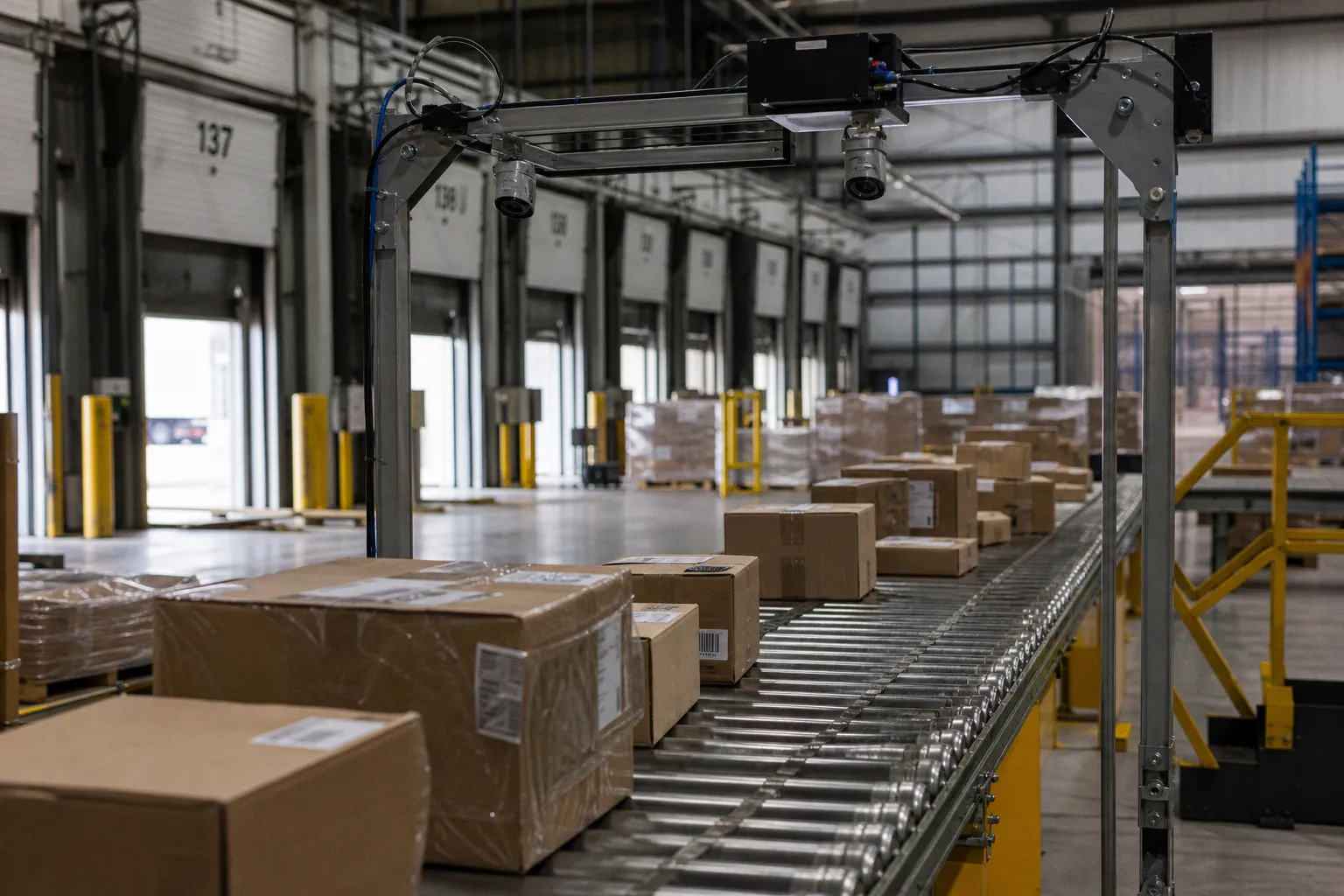
Calculate if Warehouse Computer Vision Pays Off
The question isn't whether computer vision works in a warehouse setting. It does. The question is whether it works for your operation, at your scale, with your current infrastructure, and within the timeline your board or ownership group will tolerate before expecting returns. In my experience, the companies that get burned by warehouse automation aren't the ones that move too slowly — they're the ones that move without a financially grounded plan, seduced by vendor demos that show pristine fulfillment centers with floor markings so clean you could eat off them.
Let's break down the real economics, the operational gains you can actually quantify, the costs that vendors tend to gloss over, and the integration work nobody warns you about until you're already knee-deep in it.
The Economics of Visual Automation: Beyond the Hype
Every warehouse technology cycle follows the same emotional arc. First comes excitement — someone on your team attends a conference, sees a demo, and comes back convinced this is the inflection point. Then comes sticker shock when the actual proposal lands. Then comes paralysis, because nobody on your leadership team feels confident enough in the numbers to commit.
Computer vision in warehouse operations is currently riding that exact wave. The market for warehouse automation broadly is projected to surge through 2026, and CV is one of the fastest-growing segments within it. But hype cycles don't pay invoices, and projected market size doesn't tell you whether your facility will break even in eighteen months or thirty-six.
The honest framing is this: computer vision is a capital-intensive investment that pays operational dividends over a multi-year horizon. The ROI payback period for most warehouse CV deployments sits in the 12-to-24-month range, depending heavily on your baseline efficiency. If your current operations are already fairly automated, the incremental gains are real but narrower. If you're still running largely manual processes, the uplift can be transformative — but the integration complexity is also significantly higher.
The companies that get burned by warehouse automation aren't the ones that move too slowly — they're the ones that move without a financially grounded plan.
What makes the economics tricky isn't the technology itself. It's the gap between what a vendor quotes you in a sales deck and what you actually spend by the time the system is humming reliably in production. We'll get to those cost drivers in detail, but the first thing you need to calibrate in your thinking is that the headline number is never the final number.
Quantifying Operational Gains: Accuracy, Speed, and Safety
This is where the business case either lives or dies — and where you need to be most disciplined about separating documented results from aspirational projections.
Let me walk you through the three operational domains where computer vision delivers measurable returns in a warehouse context, and what those numbers actually mean for your P&L.
Inventory Accuracy
Manual cycle counting in a well-run warehouse typically delivers 95 to 98 percent inventory accuracy. That sounds respectable until you translate it into real terms: in a facility holding 50,000 SKUs, a 2 to 5 percent error rate means 1,000 to 2,500 items with incorrect stock records at any given moment. That's mis-picks, phantom inventory, stockout-driven expedites, and write-offs compounding month after month.
Computer vision systems, when properly deployed and trained on your specific inventory, can push that accuracy to 99.9 percent. That's not a marginal improvement — it's an order-of-magnitude reduction in inventory discrepancies. For a mid-size distribution operation, this alone can justify the investment.
Throughput and Dock-to-Stock Speed
Automated visual identification and logging of incoming goods can reduce dock-to-stock time by up to 20 percent. What that means practically is that your receiving team spends less time manually scanning, inspecting, and keying in data — and your putaway process starts sooner. Over the course of a year, that acceleration compounds into meaningfully higher throughput capacity without adding headcount.
Quality Control Labor
This one tends to surprise CFOs who haven't looked closely at the numbers. Automated visual inspection — catching defects, damage, labeling errors, and packaging anomalies in real time — can reduce quality control labor costs by 30 to 50 percent. Not because you're eliminating people, but because you're redeploying them. The CV system handles the high-volume, repetitive scanning; your human QC team focuses on the edge cases, the judgment calls, and the supplier relationship conversations that actually drive systemic improvement.
Safety Monitoring
Here's a gain that rarely shows up in the initial ROI spreadsheet but matters enormously over time: computer vision-based safety monitoring can reduce warehouse safety incidents by 25 percent or more. These systems detect unauthorized personnel in restricted zones, improper PPE usage, forklift proximity violations, and blocked egress paths. The financial impact flows through workers' comp claims, insurance premiums, OSHA exposure, and — frankly — the immeasurable cost of keeping your people uninjured.
| Operational Domain | Manual Baseline | With CV Deployment | Impact |
|---|---|---|---|
| Inventory accuracy | 95–98% | 99.9% | Near-elimination of phantom stock and mis-picks |
| Dock-to-stock time | Baseline | Up to 20% faster | Higher throughput without added headcount |
| QC labor cost | 100% of current spend | 30–50% reduction | Reallocation of human talent to judgment-intensive tasks |
| Safety incidents | Baseline | 25%+ reduction | Lower insurance costs, reduced regulatory risk |
These numbers are real and documented across multiple deployments. But — and this is critical — they represent the range of outcomes observed in facilities that did the integration work properly. The gap between "CV system installed" and "CV system delivering measurable ROI" is where most projects stumble.
Cost Drivers and Capital Allocation for CV Deployment
When a vendor presents you with a computer vision proposal, the first number on the page is almost always the hardware and software licensing cost. That's the appetizer. The full meal is considerably more involved.
Here's what actually drives the total cost of a warehouse CV deployment:
Hardware. Cameras, yes — but also edge computing devices, network infrastructure upgrades, mounting and environmental protection (warehouses are dusty, humid, and occasionally hostile to sensitive electronics), and redundant power supply considerations. If your facility doesn't already have robust network cabling running to every corner, that's a significant infrastructure project before you even mount a camera.
Software licensing. This varies enormously. Some vendors offer per-camera licensing, others charge by warehouse square footage, and the enterprise SaaS models are rarely public — they depend on custom contracts negotiated at the enterprise level. What I can tell you from experience is that you should budget for annual licensing costs that are 20 to 30 percent of the initial hardware investment, recurring.
Cloud storage and compute. Video data is voracious. Even with edge processing that filters out uneventful footage before it hits the cloud, you're looking at substantial ongoing storage costs. Factor in the compute costs for model inference if you're running anything beyond basic object detection.
Model training and calibration. This is the cost that gets buried in footnotes. Your warehouse is not identical to the vendor's demo facility. Your product mix, your lighting conditions, your racking configuration, your labeling conventions — all of these require the CV models to be trained and tuned on your data. Budget for a dedicated calibration period of four to eight weeks where the system is learning your environment and producing a meaningful number of false positives that your team has to triage.
Integration with existing systems. Your Warehouse Management System is the operational backbone of your facility. The CV system doesn't replace it — it complements it, feeding data into your WMS for inventory updates, putaway routing, and exception management. The integration engineering required to make that data flow reliably, with proper error handling and fallback logic, is often the single largest line item in professional services.
Change management and training. Your team needs to understand what the system does, what it doesn't do, and how to respond when it flags something. This isn't optional — it's the difference between a system that delivers ROI and one that generates alerts nobody trusts.
The gap between "CV system installed" and "CV system delivering measurable ROI" is where most projects stumble.
When you stack all of these up, a realistic total cost of ownership for a mid-size warehouse CV deployment runs significantly higher than the initial vendor quote. That's not a reason not to do it — it's a reason to build a financial model that accounts for all of it, so your payback-period calculation reflects reality rather than optimism.
Integration Architecture: Bridging Vision Systems and Your WMS
This is the section that most vendor presentations treat as a footnote and that most implementation retrospectives identify as the make-or-break factor.
Your Warehouse Management System is the system of record for inventory. It knows what's supposed to be where, what's been picked, what's been shipped, and what's sitting in a staging area waiting for a carrier. The computer vision system is an input layer to that WMS — it provides real-time visual data that can update inventory records, trigger exception workflows, and generate alerts.
The integration challenge is that these two systems were almost certainly not designed to talk to each other natively. You're going to need middleware — an integration layer that translates CV output into WMS-compatible inputs, handles latency and error conditions, and maintains data integrity even when one system or the other has a hiccup.
Here's what I've seen work well in practice:
1. Start with read-only integration. Let the CV system observe and report, but don't let it write to the WMS during the initial deployment. This gives you a comparison period where you can validate the CV system's accuracy against your existing processes before trusting it to update live inventory records.
2. Define exception handling rules explicitly. What happens when the CV system says there are 47 units in bin A-14 but the WMS says 52? You need a documented decision tree for these discrepancies, and it needs to be agreed upon by operations, IT, and finance before go-live.
3. Establish a data feedback loop. The CV models improve over time as they process more of your specific data. Build a workflow where corrections made by human operators feed back into the training pipeline, so the system gets smarter with every cycle.
4. Plan for graceful degradation. When a camera goes offline, when the network hiccups, when the edge device overheats in a July loading dock — what happens? Your integration architecture needs to handle these scenarios without crashing the broader operation.
The companies that get this right don't treat CV integration as an IT project. They treat it as an operational transformation project with a significant technology component. The cross-functional alignment between operations, IT, data engineering, and frontline management is what separates a smooth deployment from a six-month headache.
Strategic Roadmap: From Pilot Programs to Full-Scale Implementation
You don't deploy computer vision across an entire warehouse on day one. You calibrate, you learn, you iterate — and you prove the business case in a controlled environment before committing capital at scale.
Here's the roadmap I recommend, shaped by what I've seen work and what I've seen fail:
Phase 1: Pilot Zone (Weeks 1–12)
Select a single, well-defined area of your warehouse — typically receiving or a high-volume pick zone. Install the CV system, integrate it in read-only mode with your WMS, and run it in parallel with your existing processes. Measure everything: accuracy rates, false positive rates, detection latency, and the time your team spends triaging alerts.
This phase isn't about ROI. It's about learning. You're learning what the technology can do in your environment, and your team is learning how to work alongside it.
Phase 2: Validated Integration (Weeks 12–24)
Based on pilot data, refine the models, adjust camera placement, tighten the integration with your WMS, and begin allowing the system to write verified updates to inventory records. Expand to a second zone. Build the exception-handling workflows that your pilot exposed as necessary.
By the end of this phase, you should have enough operational data to build a credible financial model for full-scale deployment.
Phase 3: Scaled Rollout (Months 6–18)
Deploy across the remaining zones, with each deployment informed by the lessons of the previous ones. This is where the operational gains start compounding — not just in inventory accuracy, but in throughput speed, labor allocation, and safety performance.
Phase 4: Optimization and Expansion (Ongoing)
The system is live. Now you optimize. You refine models, you explore additional use cases (predictive maintenance on conveyor systems, automated yard management, cross-dock optimization), and you feed the accumulated data back into your strategic planning.
A note that I think deserves emphasis: throughout this entire process, maintain a direct line of communication between the deployment team and your financial leadership. The worst outcomes I've seen happen when the technical team is heads-down on integration while the CFO is looking at a spreadsheet wondering where the promised returns are. Alignment isn't a one-time meeting — it's an ongoing practice.
The Verdict
Computer vision in warehouse operations is not a speculative technology. The operational gains — 99.9 percent inventory accuracy, up to 20 percent faster dock-to-stock times, 30 to 50 percent reductions in QC labor costs, 25 percent or greater safety improvements — are documented and repeatable. The 12-to-24-month ROI payback window is realistic for facilities that do the integration work thoughtfully.
But the technology is not plug-and-play, and anyone who tells you otherwise is selling you the first three months of a twelve-month engagement. The total cost of ownership is meaningfully higher than the initial vendor quote. The integration with your existing WMS is where the project succeeds or stalls. And the change management required to get your frontline team to trust and act on CV-generated insights is a real, ongoing investment.
If your warehouse is running high-volume operations with persistent inventory accuracy challenges, rising labor costs in quality control, or safety incidents that concern your risk management team — the math is likely in your favor. Start with a pilot. Measure ruthlessly. Scale what works.
Here's the question I'd leave you with: when was the last time your operation ran a true cost-of-inventory-accuracy audit — not the number your WMS reports, but the actual downstream cost of every mis-pick, every stockout-driven expedite, every write-off? Because that number is where the computer vision business case starts, and most leaders I work with are genuinely surprised by how large it turns out to be.
If you're looking for more good news and practical insights on how technology is transforming operations for the better, Dobro News covers positive developments across industries that are worth keeping on your radar as you plan your next moves.
 Strategy & OperationsDoes ISO 9001 Certification Pay Off for Small Factories?
 Strategy & OperationsTest Retail Store Operations Efficiency Metrics for Small Chains
 Funding & ValuationWeigh Berkus vs Scorecard Valuation for Your Seed Round
 US–Iran deal includes $300bn private investment fund with over half already committed